How it works
From your drawings to a page buyers use.
You send what you already have. We build and check the page. Buyers choose a home and enquire on it. Your team keeps availability current without calling us.
01You send drawings, plans and prices
The architect's elevations and site plan, a floor plan per home type, a finishes and style brief, the location, the price list as Excel or CSV, and the development's name and completion date. No renders needed; if you already have some, we use them.
Also tell us where enquiries should go (your CRM or automation hook, an email address, a WhatsApp number) and who on your team will keep availability current.
02We make the images, then build the page
First the images: a photoreal exterior from your elevations, the interiors for each model from your brief, and an illustrated view for each height band. You see them and ask for changes before anything else happens.
Then the page: our onboarding tool finds the floors and bays on the exterior and outlines every home, imports the price list and matches each row by unit number. We check every outline, price and status by hand.
Building the page takes about a day once the images are approved. Every image we make is an illustration of homes not yet built, and the page says so.
03You check it before it goes live
You get a private link and go through every home, price and line of text. Nothing goes live until you approve it.
Before launch we send test enquiries together and confirm they reach your CRM, inbox or WhatsApp, tagged with the unit and the agent.
04Buyers pick a home and enquire
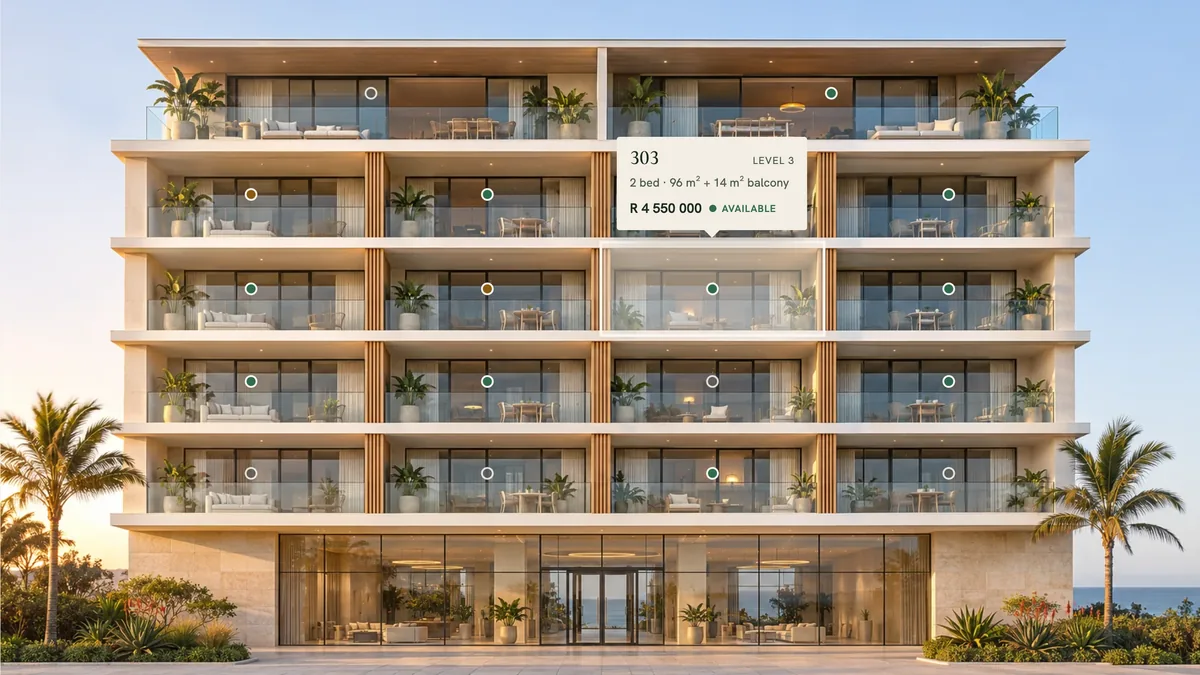
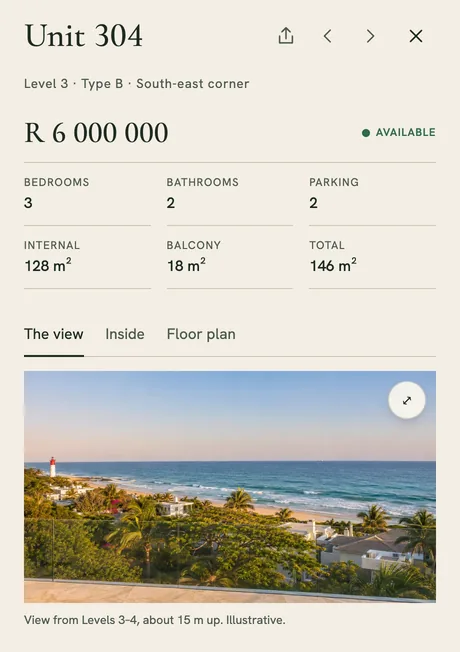
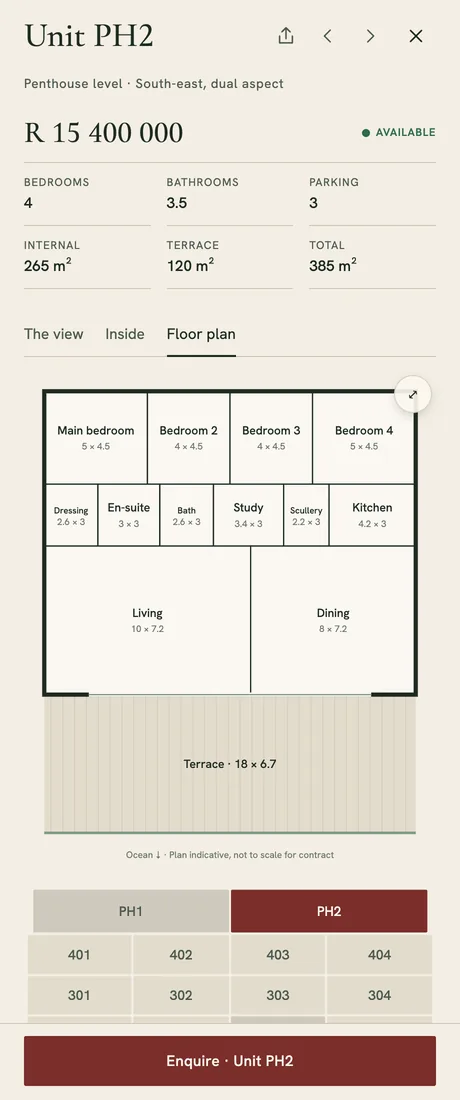
A buyer sees the whole building, hovers a home for its price, size and status, and opens it for the view from that floor, the interiors and the floor plan. The enquiry form is for that exact unit.
- Agents share links with their own code. The code travels with every enquiry from that link.
- WhatsApp opens a chat with your sales line with the unit already in the message.
- In the sales suite, tablet mode goes back to the whole building after 90 seconds of quiet.
05Your team keeps it current
Availability lives in a Google Sheet your team edits from a phone. The page re-reads it while it is open and shows when it last updated. A published sheet can lag a few minutes behind an edit.
Name one person who owns the sheet from launch weekend on. A sold home shown as available costs a buyer and some trust.
Prices can stay hidden (“Price on request”) until you are ready, and sold homes can read “Unavailable”.